Case Study

A newsletter that grows

How a content-aligned, data-driven design helped set Upgrade’s employee newsletter up for significant growth.

Internal Communications

UX Strategy

Illustration

Layout design

* Some artifacts have been modified or recreated for illustrative purposes. All photography, personal data, and proprietary information has been replaced with stock or generic content to protect employee privacy and company confidentiality.
Introduction
Overview
A company-wide employee newsletter is one of the most internally visible assets that a comms team can make. As a reliable, relevant checkpoint for company updates and reminders, the information and the way it’s presented matters. The Upgrade newsletter is delivered monthly, and has an audience of 1,900+ employees across 5 major locations ranging from Customer Care Professional to C-Suite Executive.
Around a year after the newsletter’s launch, my team (Internal Communications) noticed a significant dip in its viewership in Confluence. We agreed that this was a cue to revisit the program and make tactical improvements.
My roles and responsibilities
Visual Design Lead
Owned the end-to-end redesign of newsletter templates for email and Confluence, including layout, typography, color, and illustration.
Illustrator
Ideated and finalized original hero images; established seasonal header design system.
UX/Design Strategist
Used “How might we?” framing to translate survey data and reader feedback into actionable design objectives.
Cross-functional Collaborator
Collaborated directly with the rest of the Internal Comms team to align work with their content strategy, and partnered with UX researcher; facilitated jam sessions with the working team to steer creative direction; maintained feedback loops with all stakeholders.
Production & Handoff
Adapted Figma designs for Gmail (Gmail Layouts) and Confluence; built replicable templates for non-designer use.
Guiding Question
How do we create an engaging, valuable newsletter experience to help grow our readership?
Find where the gap is
Use a survey as the discovery mechanism
To help us understand where our biggest pain points truly were, we enlisted the help of a UX researcher to design and conduct a survey. To help ensure the integrity of the survey and its results, our team took the backseat during the survey design and facilitation process.
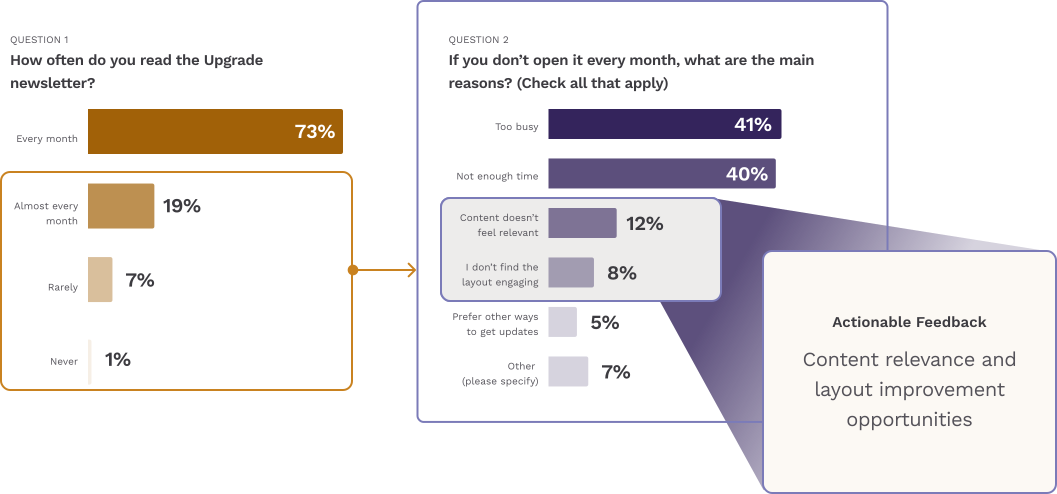
The survey included a series of questions that focused on gauging newsletter relevance, readability vs perceived value, and suggestions/improvements. 129 team members out of the 1,924 total, offering a 95% confidence rate and ±8% margin of error. While this did not cover the entire population like other company-wide surveys usually do, the UX researcher selected the sample pool to be solidly representative of the employee base as a whole.
Zooming in on the challenge
The first two questions of the survey focused on uncovering how relevant the audience finds the newsletter, and this was key to articulating the challenge statement as it would show whether there was an awareness problem or a perception problem.
Overall, 73% of respondents stated that they read the newsletter every month, which immediately told us that the challenge isn't about awareness or overall buy-in. If nearly three-quarters of our audience is reading it each month, it's reasonable to assume that most people are aware of its existence and see value in opening it.
Of the 27% that do not read it, a majority said it was due to being too busy (41%) and not having enough time to read it (40%). As a team, we can't control another person's workload (nor dictate how to spend their time) so we shifted our focus to the more actionable reasons, particularly 12% that don't find the content relevant and the 8% who don't find the layout engaging.
A quick note on content Strategy
Aside from the design feedback, the feedback we got about content relevance was a huge driver of how the team approached this project. While I acted as a thought partner for the direction of this, this was fully out of my scope and fell under the direction of my content partner. The biggest piece that changed on this side was the fact that the newsletter would be taking on a story-driven approach.
This meant more full length articles about different topics, monthly themes, and an overall more journalistic quality.
The stated challenge
Upgrade team members need a strategically revisited newsletter that provides them with relevant content in a way that is engaging and visually rich.
Plan around business needs and user wants
Understanding our constraints
Before we started planning solutions, it was important for us to articulate what we needed to build around.
Here's what we identified

check

New version must be ready by next newsletter cycle (a little over 30 days.)

check

No time or resources to onboard a new vendor/tool, must use currently available tools.

check

Limited to styling capabilities in Confluence and Gmail.

check

Visual design must be easily replicable without designer support.

Identifying our own opportunities
Our team always knew that the original version of the newsletter would not be the last, and we saw this revisitation as an opportunity to address some of the needs we’ve identified along the way.
Outside of some content opportunities and the other opportunities highlighted in the feedback, there were a couple of design opportunities for me to address:
Header images and pictograms are in a legacy style. Implement the new illustration style and revisit illustration's overall usage.
Section headers are in the templates as PNGs, leading to scaling issues and uneditability. Update templates to have native section header text.
Addressing feedback head-on
To make the experience more engaging and valuable to our readers on such a tight timeline, it made the most sense for me to take the visual design feedback from the survey, frame it as “how might/can we…?” questions, and used those to direct me through the design process.
Since we wouldn’t have time for user testing, this helped steer visual design decisions and gave extra assurance that stated needs were being addressed.
The feedback
"How might we..?"
“It isn’t eye appealing”
arrow_forward
How might we make the newsletter nicer to look at?
(north star)
“Adjust the layout a bit”
arrow_forward
How might we create a consistent but not-monotonous layout system?
“Make the text larger”
arrow_forward
How might we use text scaling to gently guide the reader's attention?
“Add more color”
arrow_forward
How might we use color as a tool for engagement?
“Too many pictures distracting from the main content”
arrow_forward
How can we balance the need for more visual appeal while still keeping the newsletter content-first?
“The header image [in Confluence] is weird”
arrow_forward
How can we design a header for email and Confluence experiences that feels native to each medium?
Reassess the layout and hierarchy
Decide with data
The readability and perceived value data told two very different stories.
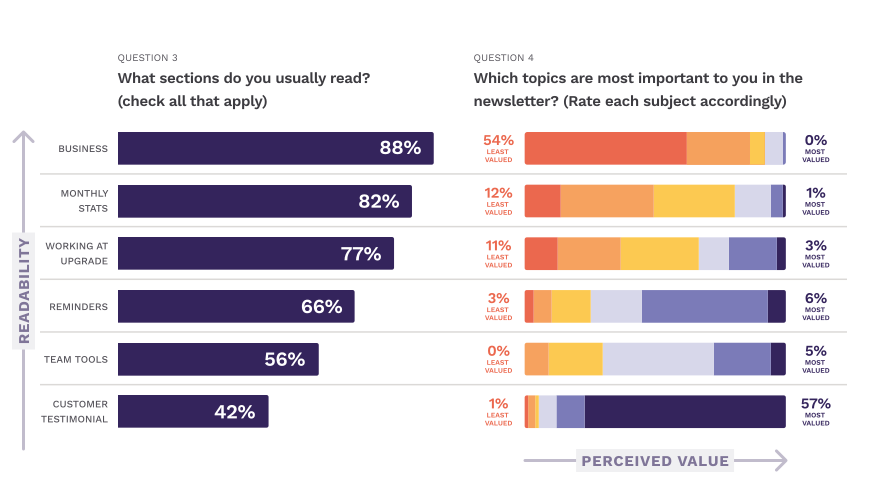
Our readability data shows that the legacy ordering was successful in driving most attention to high-impact sections such as Business and Monthly Stats, but the perceived value data showed that people were not getting what we wanted them to take away from these different sections.
This tension continues down to the Customer Testimonial section, where what was rated the most valuable section by readers and is also the one they are least likely to read.
When we first decided on how to order the newsletter the year before, it was primarily based on what we wanted most of the audience to read (we knew that not everybody would read the full newsletter).
The readability data was now telling us that we were successful here, most people are reading the sections we want them to read. However, the perceived value data tells a story of high-impact information that is skimmed over and undervalued, and information rated highly-valuable by readers that gets lost.
Looking at what’s been done before
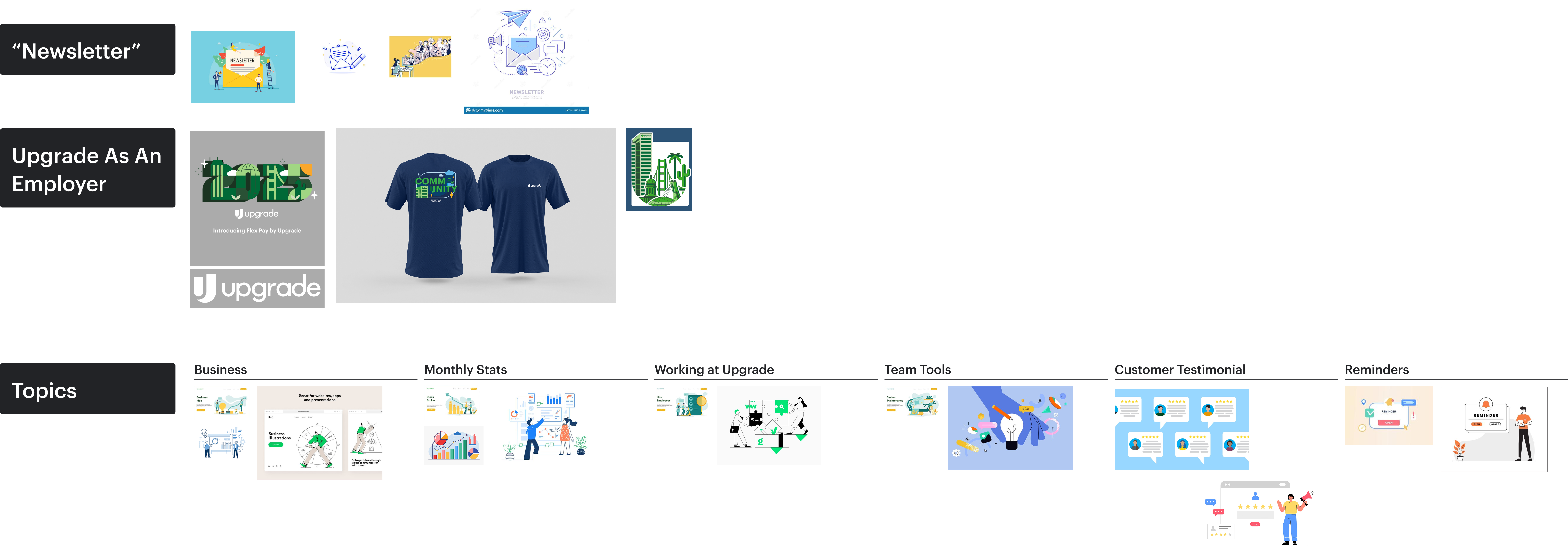
I decided to look at a variety of digital newsletters, news-centered email lists, and print newspapers to see what sort of layout patterns they use to organize varied amounts of information, and I noticed some themes:

check

There’s often 2-3 levels of prominence used.

check

Nearly all of them either use 2 column layouts or a ¾-to-full span vertical layout for attention-grabbers.

check

Limited to styling capabilities in Confluence and Gmail.

check

Digital surfaces designed for engagement use a Z-layout, while surfaces designed for skimming usually don’t.
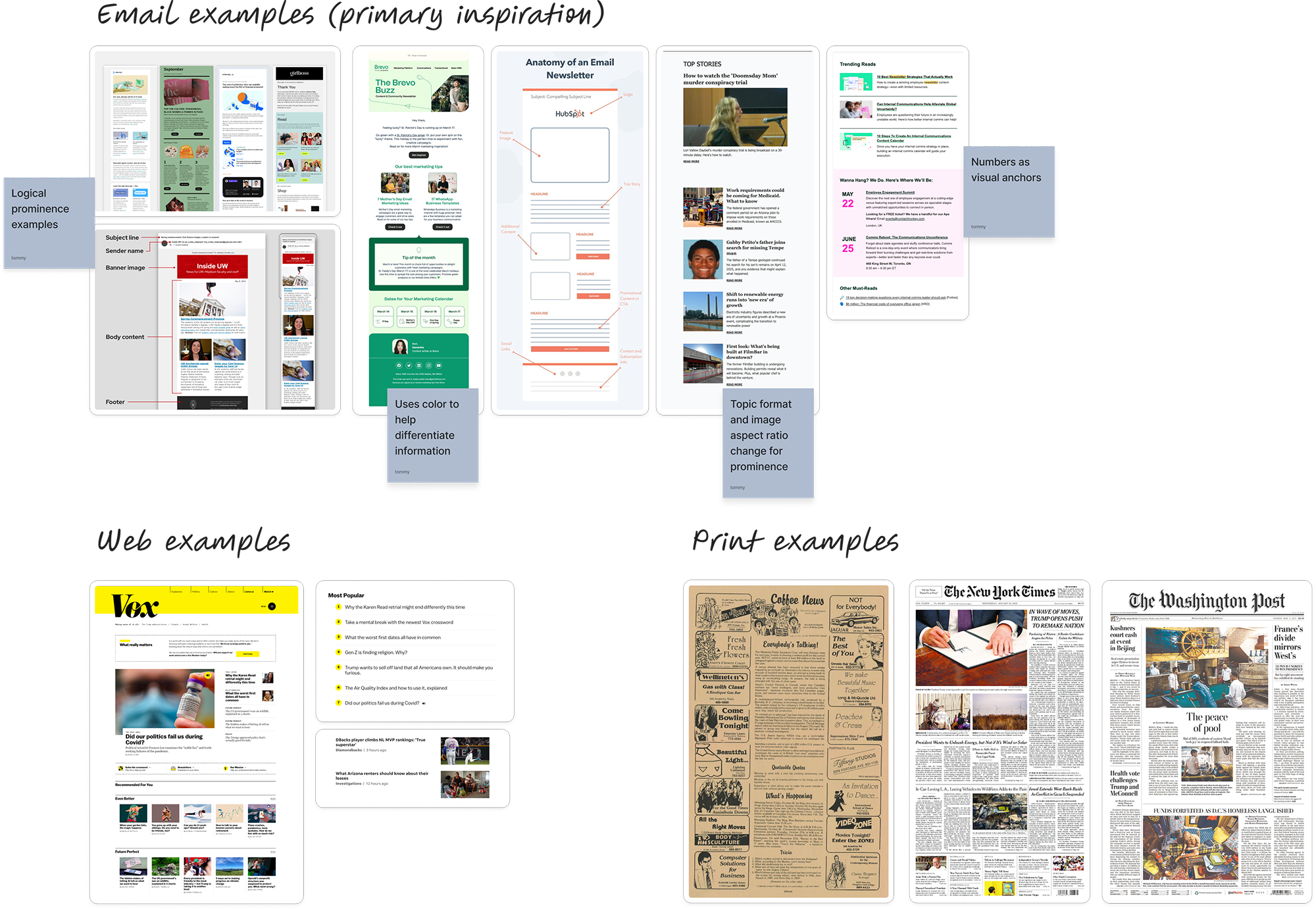
Inspiration Sources
Layout each section
Put the focus on Business
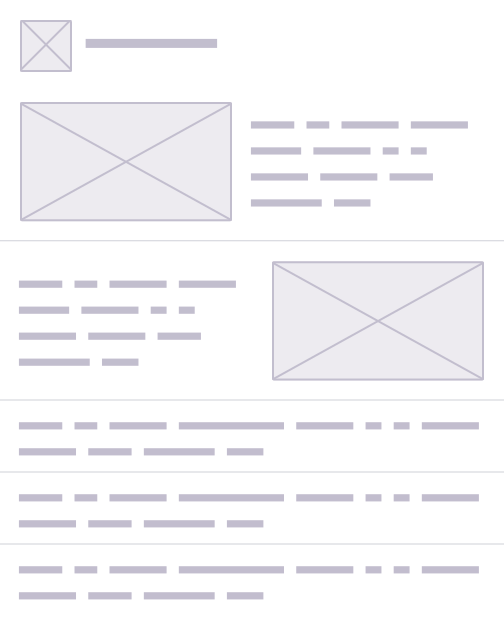
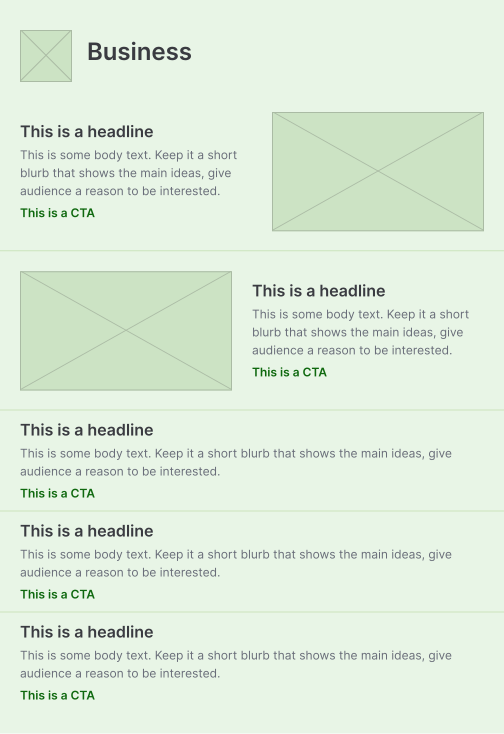
I decided to use the Business section as a way to build the core layout patterns for the entire template. Since this would be the most diverse and in-flux section, finding the best layout for this section will help inform the patterns for the rest of the sections. I explored three concepts:
Concept #1
Three levels of prominence.
Two featured topics in a row. Secondary topics are arranged in a two-column layout, with regular topics as a row.
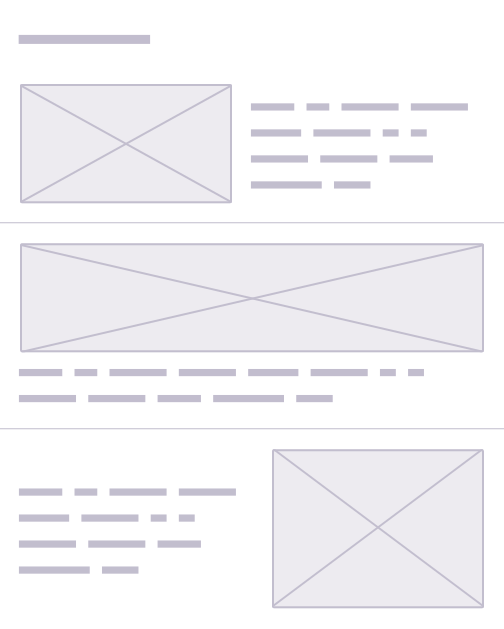
Concept #2
Two levels of prominence.
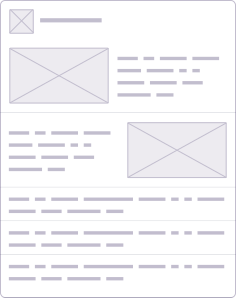
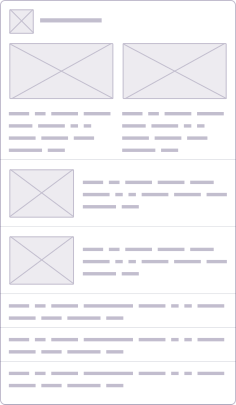
All topics are treated as rows. Featured topics are arranged in a two-column layout. Regular topics are a single-row full span column.

Secondary topics are not a part of this layout.
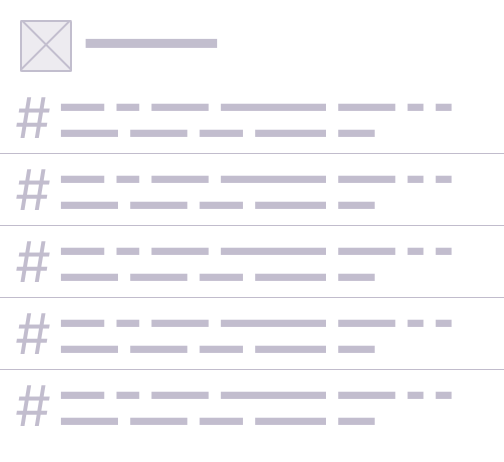
Concept #3
Three levels of prominence.
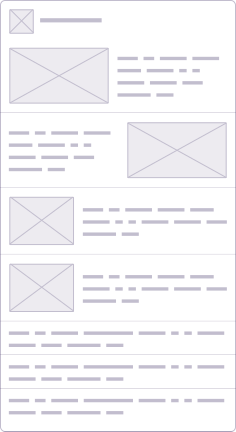
All topics are treated as rows. Featured and secondary topics are arranged in a two-column layout. Regular topics are a single-row full span column.
Approach the layout as parts of a whole
With the core layout patterns explored using the Business concepts, I started to make decisions for the final direction of the section and begin building out layouts for the other sections.
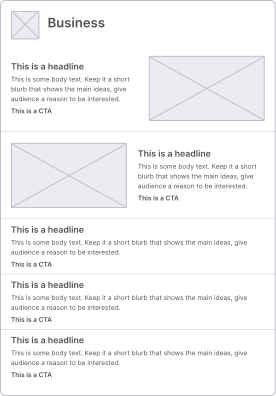
Concept #2 for the Business section
Since we weren’t planning on having a set number of featured topics each month, and also wanted to guide user’s attention downward— I decided to go with concept #2.
The Z-layout would help guide and captivate the reader's attention. Additionally, keeping topics contained to rows and keeping prominence leveling simple meant that this section’s template had the flexibility it needed month-to-month.
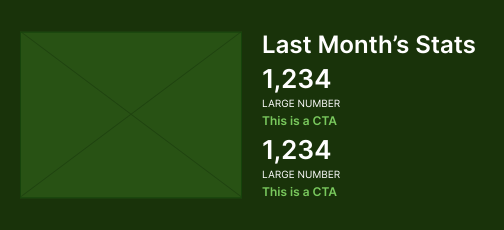
Last Month's Stats
Given how light this section is on raw content, I wanted it to be visually driven. While I would’ve liked to have explored a dashboard-like format, but with constraints I kept the layout simple.
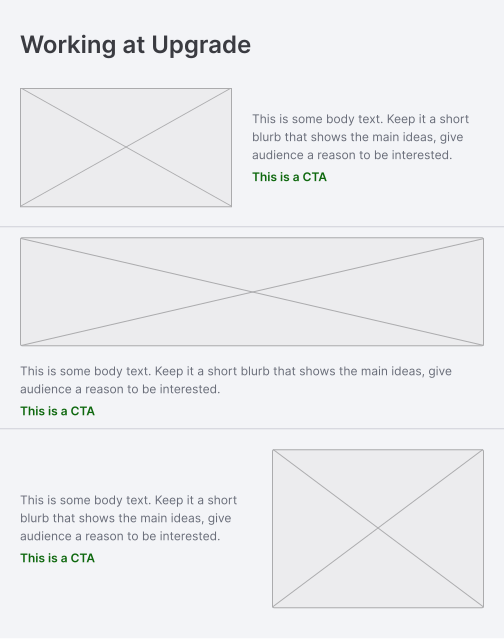
Working at Upgrade
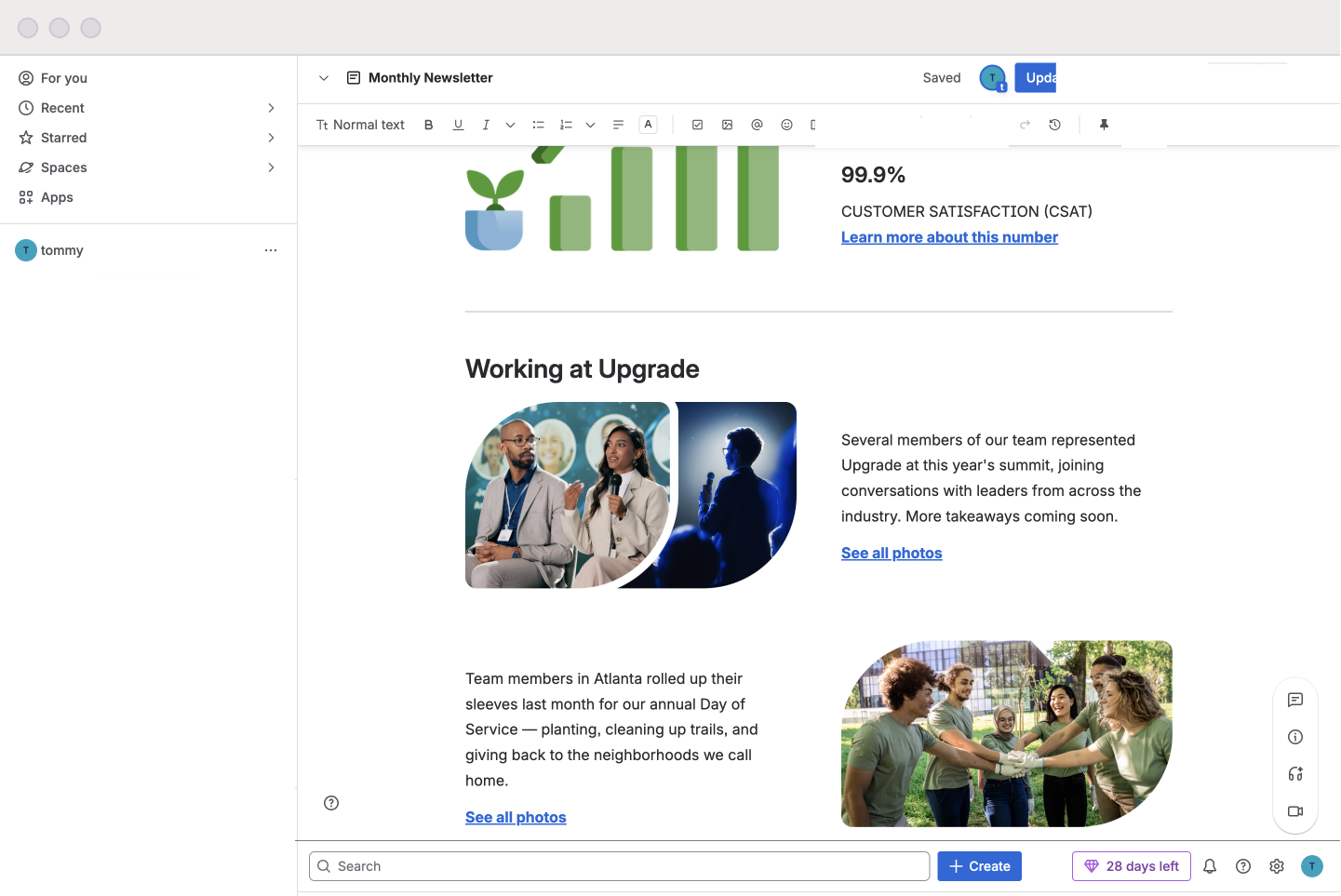
Since this section is primarily a recap of all the high-impact events at each office, it was going to be primarily photo driven.
We got feedback that the current practice of maximalist collages were clunky and confusing. To clean this up, I decided to design around including less photos and more text about the event.
For for 16:9 and 3:4 photo crops, another two column split made sense. To give multiple locations comparable promincence, I matched the height to the 16:9 photo and had the width span the container.
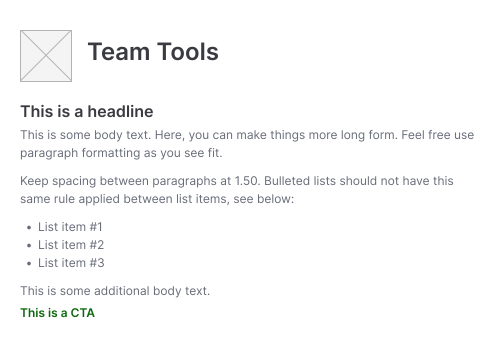
Team Tools
This section is primarily text driven, and will often include a long blurb and resource links
For this, it didn’t make much sense to design around including visuals every time, so I decided to keep the layout simple with a pictogram in the header, and body text underneath.
Reminders
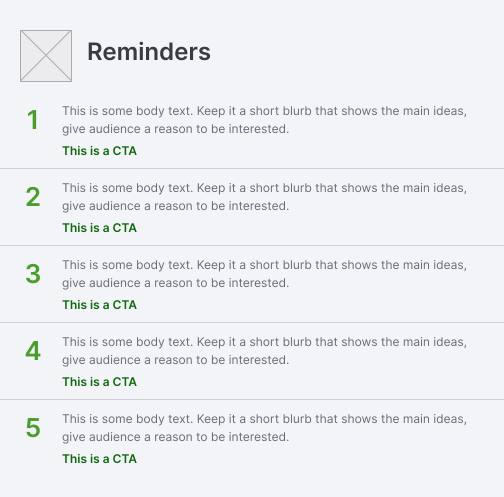
I wanted this section to be a more tactile list of reminders for the month. Giving these headlines didn’t make much sense as these are quick, easy to understand reminders, but I still wanted to give some visual prominence to this section.
Customer Testimonial
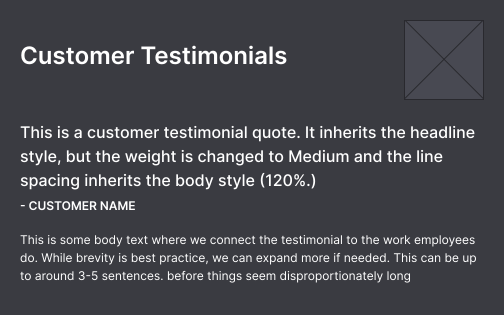
Since this section was rated the most valuable and least likely to be reached, I decided to give this section more visual weight to make it more rewarding for the reader. To do this, I increased the space its illustration would take up.
Define format and styling
Establish hierarchy
To continue building on the design, I started to take a pass at the text hierarchy. I identified 5 styles to establish.
Once my individual styles were established, I set combos for each section based on the desired level of prominence, and the type of information it'll display.
Type palette
Use color as a tool
Adding more color to the newsletter was a piece of anecdotal feedback that predated the survey findings, so it was important to me that this was thoughtfully addressed.
I first started off by coloring the individual sections grey and black to get a feel for what the best alternation pattern would be:
Alternation Pattern Options
Hover over an option and scroll to see the full exploration.
Once I had a pattern set, I started deciding on the best colors to use for the color blocking. I limited my options to colors that were compatible background colors for our illustration system and could use DSM (Design System Manager) text styles while maintaining WCAG compliance.
Color selections
Much like the layout strategy, the final color selections for each section were approached as parts of a whole.
Business
Since we were trying to make this section as attention grabbing as possible, I decided to make this section light green since it’s a shade derived from our primary brand color.
This ended up being one of the few instances where we use a color outside of grey or white for a section's background color.
Last Month's Stats
Since this section is closely tied to the themes/intentions of the business section, I wanted this block to flow naturally from the business section. With this priority in mind, I made this section dark green.
Working at Upgrade
Since the appropriate amount of attention naturally gravitates towards this section, I decided that color wasn’t needed to compete for reader’s attention.
Team Tools
To help give some alternation, without overwhelming readers with color, I decided to make this section white.
Reminders
This one was a little tricky to decide on, since we wanted to bring attention to this section still.
I tried light blue, light green again, and gray. Ultimately, I landed on gray but coloring the numbers with accent green. This seemed more aligned with the Upgrade brand, and still fulfilled the objective of using color as a tool.
Customer Testimonial
Since this was the closer, I decided to match the color of this section with the header and hold off decisions on this until the next step
Add personality through imagery
and brand moments
Design a hero for monthly stats
The monthly stats hero needed to work against the dark green background, and be large enough to accommodate the large stack of text next to it.
I wanted the hero to straightforwardly illustrate the content of the section, so the team and I thought of some words we associate with this section. Once we had some words listed, I tied them to tangible objects.
Words thought up by the team
Loans
Customer Service
Data
Performance
Month
Growth
Object Associations
Calendar
Personal Loan
Growth Graph
Gold Star
Since all of the objects were already in the illustration system, this hero was primarily a compositional exercise for me.
I experimented with two focal points— the graph and the calendar. The calendar as a focal point made the hero look more at home in an events section than a stats section, while the graph seemed to resonate as a stats section straightforwardly.
With this in mind, it made sense to go in the straight forward by using the graph focal point.
Monthly Stats Focal Point Explorations
Use photos as a brand moment
Since we’d moved towards a single/dual photo direction, using our cropping leaf made sense to build brand equity and make this newsletter feel more unique to Upgrade.
Photo Crop Shapes
Here are the standard crop shapes for single and dual photos.
16:9 Single Crop
16:9 Dual Crop
3:4 Single Crop
It’s common that multiple locations will host the same event in a month. To help make sure all locations feel recognized, it was important to design a solution for this instance.
Ultimately, I decided to do a flexible photo grid that can accommodate up to five photos. Each location is represented with one image each, and the office pictograms create the brand moment.
Multilocation Collage
Here is an example of the collage system in use for an event observed by all five major locations.
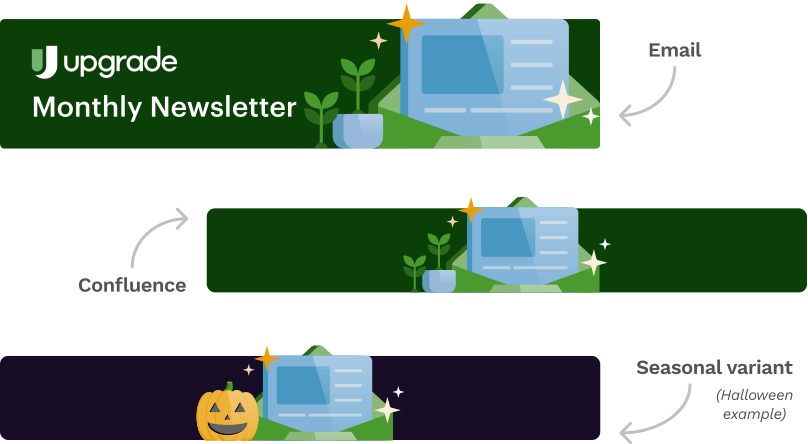
Redesign the header illustration
As the first thing people will see, the header image needed to accomplish a few things:
  • Convey the overall purpose and tone of the newsletter and brand as a whole.
  • Could be easily themeable depending on the season.
  • Can be adapted for Confluence and email
  • Be updated to the current illustration style
I decided to do a jam session with the team to see what imagery they associated with the subject matter of the newsletter, and the idea of a newsletter itself.
Header Jam
Going into this, I knew that the focal point was going to be an illustrative depiction of the newsletter. Based on our jam, the imagery of an article-looking page coming out of an envelope seems to be the most common.
I decided to take advantage of that familiarity and drew a version that aligned with our illustration style. Since there was already an envelope object established in the illustration system, I focused my efforts building on the system by illustrating the “page.”
I picked neutral supporting objects to experiment with (plants, cash and coins) and supporting objects that conveyed the topics of the newsletter (bullseye, graph, gold star.)
Core Objects
Topical Objects
From there, I iterated three composition concepts, two concepts take a full-object approach while the other takes a more straightforward approach.
Concept #1
Takes a full object approach. Topical objects are sprawled around the focal point.
Concept #2
Also takes a full object approach, but clusters the topical objects to the left.
Concept #3
Takes a straightforward approach by increasing the focal point’s size and reducing amount of supporting objects.
Overall, both of the full object approaches felt too busy and had issues with details being lost at different scales. With option #3’s minimal approach, it was able to scale to the size needed for email and Confluence without quality loss. It also had the benefit of giving the neutral objects more focus, meaning those could be swapped out for themed objects.
After we decided on the final header illustration, I explored different color combinations to see which one was favored the most by the team. The navy blue background, green envelope, and blue “newsletter” ended up being the winner due to its use of cool colors and a secondary brand color as its background. It looked the most aligned to the brand.
Putting it all together
Adapt for Confluence
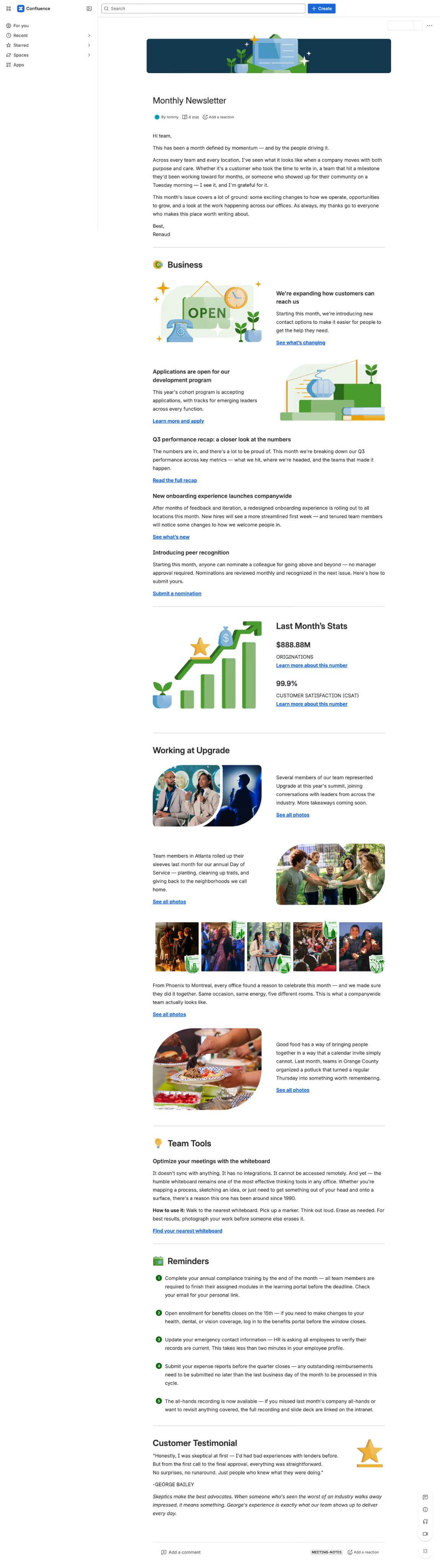
Since Confluence is pretty constrained in what it can do, design wise, I decided to simplify the template to work around the lack of customization options like color palettes, typography, and text scaling.
Written content, photography, and personal data have been fictionalized for confidentiality; all design work, illustrations, and layout systems are authentic.
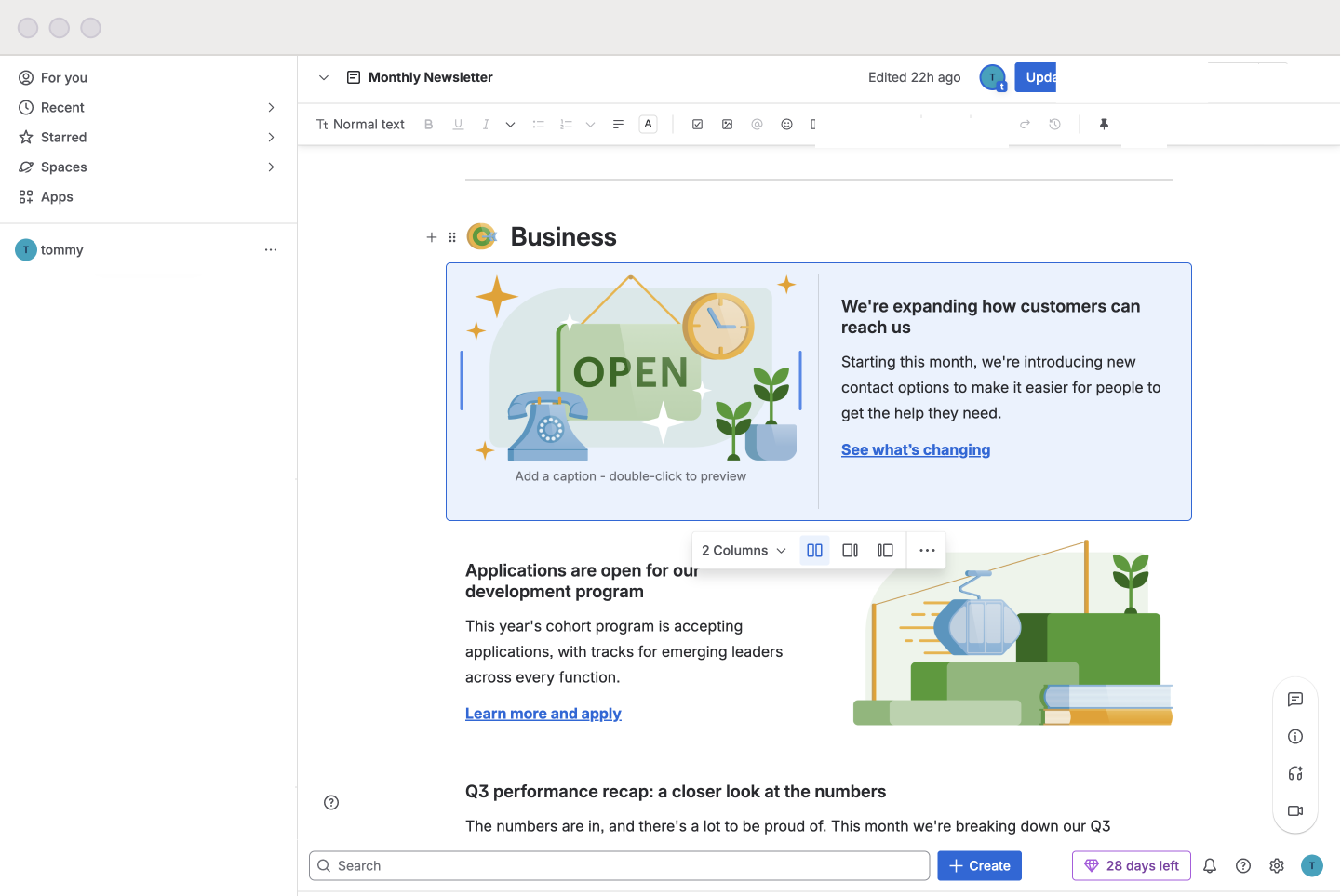
The most straightforward adaptation was implementing the 2-column layouts. I used Confluence’s native column layout block to rebuild the featured Business topics, the Stats section, and Working at Upgrade.
We wouldn't be able to recreate the email template's colorblocking in Confluence without stepping out-of-scope, but we would be able to recreate the dividers with native elements.
This lead to the decision to use dividers to separate the sections and rely on white space to separate the topics.
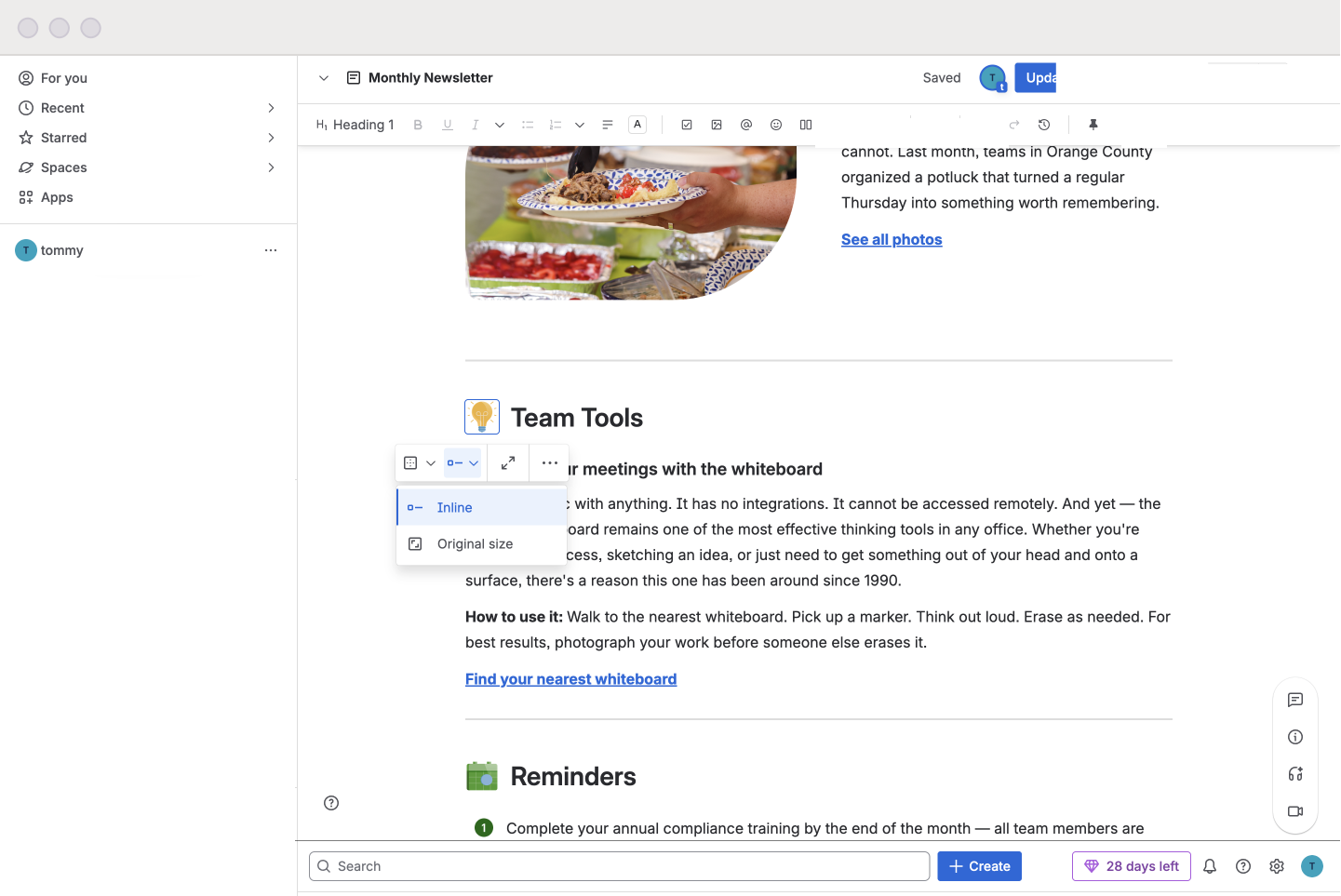
For the section header pictograms, I tested out Confluence's custom emoji features, but found they looked too small next to the text.
I ended up using inline text and image wrapping to finesse a similar format from the email template.
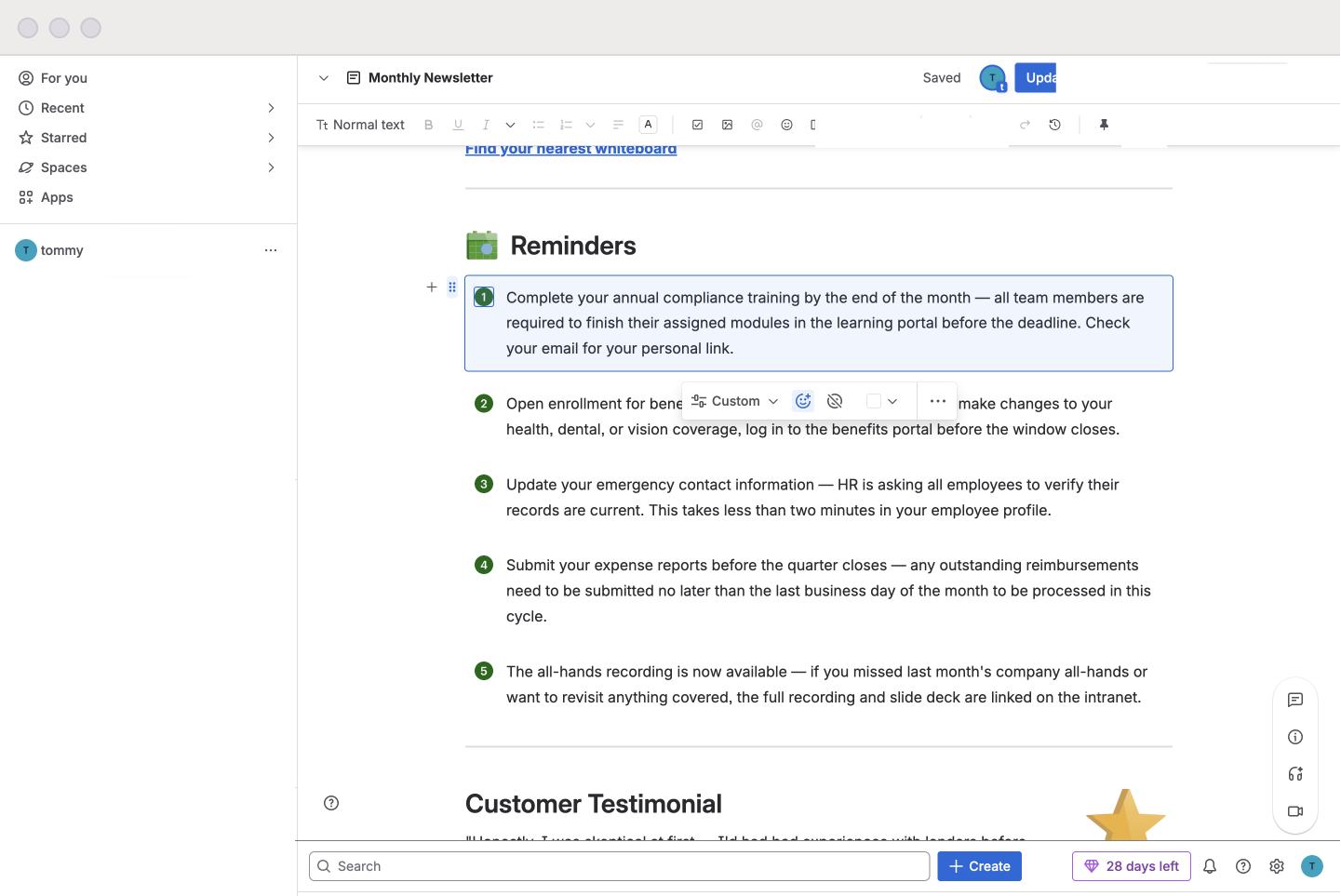
To create a self-contained list item, I customized an info panel. This was to workaround the baked-in text style rules, which would have made the email's design harder to implement.
I did this by repurposing the stepper element from the DSM to work in the native icon space, and matched the background color to the page.
Pivoting from the table
Historically, the newsletter has been formatted for email via a (well designed) table in Google Docs to mock a fixed grid layout. This would then get copied and pasted into the Gmail composer, with formatting preserved. The Figma designs were set up with these constraints in mind (such as cell spacing rules, cell nesting, etc.), and converted over well during building.
However, something must’ve changed because this little workaround stopped working after a month of using the new template. I worked with the team to try and troubleshoot the exact issue (we tried seeing if it was an account/machine specific issue, a doc issue, a network issue, etc.) and researched possible workarounds. We weren’t able to find a feasible solution, so I suggested we pivot into using Gmail Layouts.
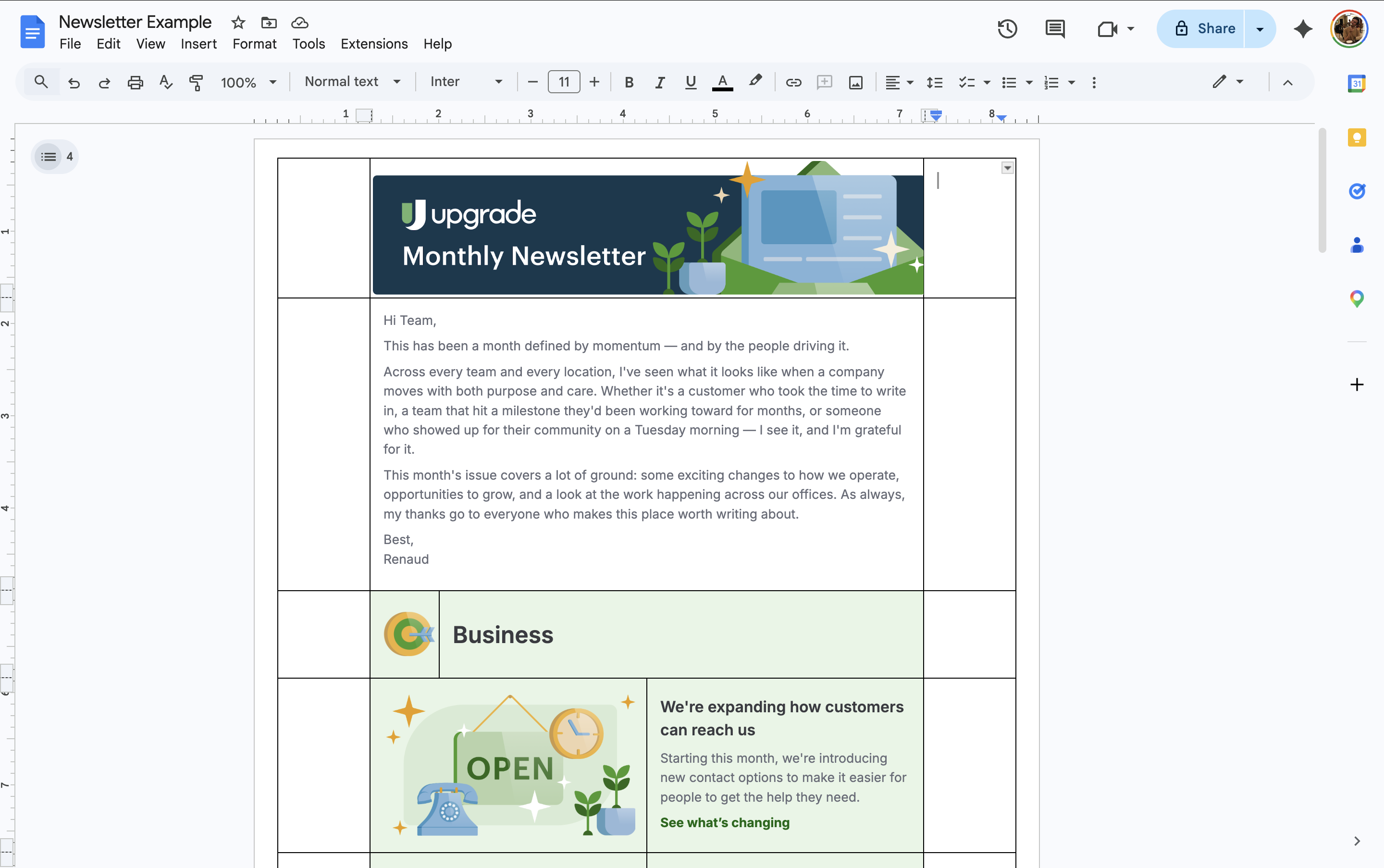
Tabular template in Google Docs (with the lines turned on for demo purposes)
However, something must’ve changed because this little workaround stopped working after a month of using the new template. I worked with the team to try and troubleshoot the exact issue (we tried seeing if it was an account/machine specific issue, a doc issue, a network issue, etc.) and researched possible workarounds.
We weren’t able to find a feasible solution, so I suggested we pivot to using Gmail Layouts.
I’d become familiar with Gmail Layouts in the past through other projects, and while it was limited in some ways (font availability, spacing customization, only three color states can be codified, etc.) it would still do what we needed it to do.
Since Gmail Layouts is built on a column-based system, I was able to adapt the section designs quite easily without degrading quality. I made sure that type and image scaling was comparable, and had my director send a few test emails to make sure everything worked on her side.
Outcomes
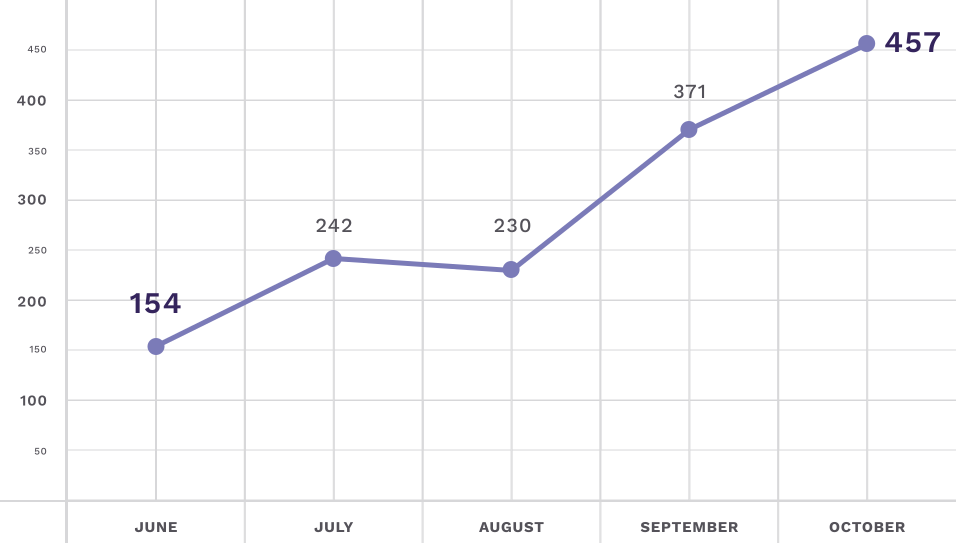
196% growth in unique Confluence views
"Unique views" in Confluence measures how many unique users opened the newsletter, regardless of how many times they visit. From June 2025 (relaunch) to October 2025, we saw views climb from 154 unique views to 457 views.
Unique Confluence Views Per Month (June - October 2025)
Lack of email tracking due to constraints
Gmail does not have a native way to track views or clicks, which meant we had two options for tracking email opens: onboard a vendor that provides this service or add tracking pixels.
Since a good chunk of our audience is in California, CCPA compliance was mission critical. With the time and resources needed to effectively implement either option in a viable and compliant way, we ultimately accepted that the email version will continue to go untracked. 
If we were able to track, I would’ve had us track the following things:
  • Email opens (views)
  • Read depth
  • Click rates to stories
Significant efficiency wins

check

Content partner is able to populate the template each month without designer support.

check

Montreal office manager is able to input translations directly into the template. 

check

New types sections can be created and removed easily, such as the “In the News” which debuted in October 2025.